
Food and everyday life
Meal photos: what to capture and what a picture misses
Use meal photos as memory aids, add useful portion notes, and understand why a nutrition estimate cannot see every ingredient.
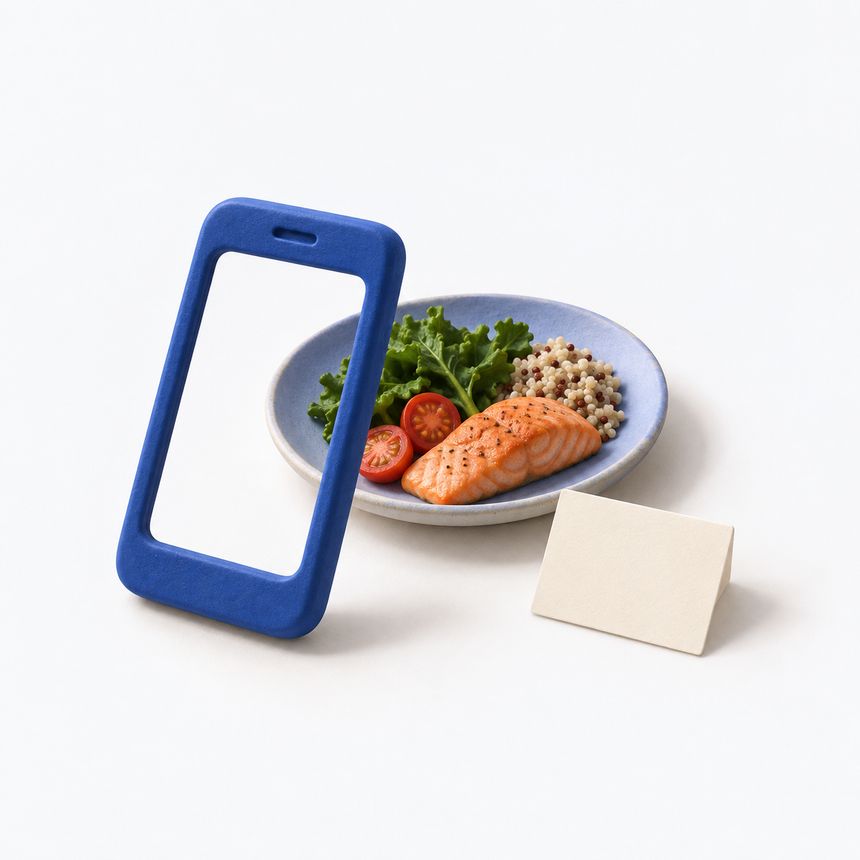
A meal photo can preserve details that “pasta for lunch” loses. It shows the dish, how it was served and roughly how large the portion was. Add a short description of the amount and anything outside the frame, and it becomes a more useful food record. The photo still cannot tell you everything in the meal.
Use pictures as memory aids, especially when writing a long entry would interrupt your day. You do not need a styled plate. A clear photo and a few short notes will help you remember the meal later.
Capture the meal you mean to record
Take a clear picture with the plate or bowl visible. Avoid a tight crop that hides part of the food. If a drink or side dish belongs in the record, include it or mention it in the note. For a shared table, identify which plate or portion is yours.
Consistency helps when you revisit several photos. A similar angle and enough light can make the contents easier to see, but a clear image still cannot tell you the exact weight or nutrient content. A deep bowl may hide food below the surface. A large plate and a small plate can look alike when photographed at different distances.
If you take the photo after starting the meal, write that down. “Photo after a few bites” is better than letting a later viewer assume that the visible amount was the entire portion.
Describe the amount and label any estimates
A portion is what you chose to eat; a labelled serving is a reference amount. CDC distinguishes these two terms. A serving suggestion on a package does not tell a photo viewer how much ended up on your plate.
Use whatever description you know: two pieces, part of a package, a measured weight or an approximate portion size. Mark approximations clearly. If the amount came from a scale or label, mention that source rather than implying that the camera worked it out.
A note might read: “Rice and vegetable dish, one bowl; sauce mixed in; portion estimated; left about a quarter.” It records the uncertainty and the leftovers that a before-meal photo would otherwise miss.
Add the ingredients the camera cannot identify
Oil used in cooking, ingredients blended into a sauce, sugar added to a drink and fillings inside a wrap can be difficult or impossible to distinguish from the final image. A photo also cannot tell which brand or recipe you used unless you provide that information.
For a home-cooked dish, save the recipe name or the ingredient list you actually used. If you changed the recipe, note the change. For a packaged food, keep a separate image of the label with its serving information visible. The food label guide explains why that top line matters.
At a restaurant, it is fine to write “ingredients unknown.” You can record the menu description without turning it into a verified recipe. An honest gap is more useful than an invented ingredient list.
Treat automated estimates as estimates
Glucose and Blood Sugar Track offers optional Premium AI Food Scan for approximate carbohydrate, calorie, protein and fat estimates, as described in the App Store listing. Review the result against the food and details you know. An estimate is not a measured nutrient total, even if it appears as a precise number.
Do not use an image estimate to make medication or treatment decisions. Keep its source visible when discussing the record with your care team. If a result seems implausible, check the identified foods and portion assumptions rather than assuming that the software saw something you missed.
Meal analysis sends the photo and note for processing when you choose to use it. Review the background for personal details and read the privacy policy before enabling the feature.
Make the record useful after the meal
Add leftovers, second helpings or a drink refill when they matter to the record. Keep the meal time separate from the time you happened to upload the image. If you remember something later, add it as a note instead of silently making an uncertain entry look exact.
The food diary guide helps you combine those details. For a future appointment, a small set of clearly described meals can give you concrete examples to ask about. The photograph helps you remember the meal; the notes add details that are out of view.
A personal tracking tool, not a medical device. The app does not measure blood sugar or provide medical advice. Review scanned values and food estimates before saving.
Download on the App Store
A food diary that keeps the useful details
Record meals without turning eating into a scorecard. Keep useful food, portion and timing notes to discuss alongside your glucose records.
↗
How to read a food label beyond the sugar line
Start with the serving basis, distinguish carbohydrates from sugars, and compare packages without treating label numbers as personal targets.
↗