
Devices and advertising claims
Can Apple Watch measure glucose? Check what the ad is really saying
Distinguish glucose measurement, a CGM reading displayed on a watch, and manual app logging before trusting a smartwatch claim.
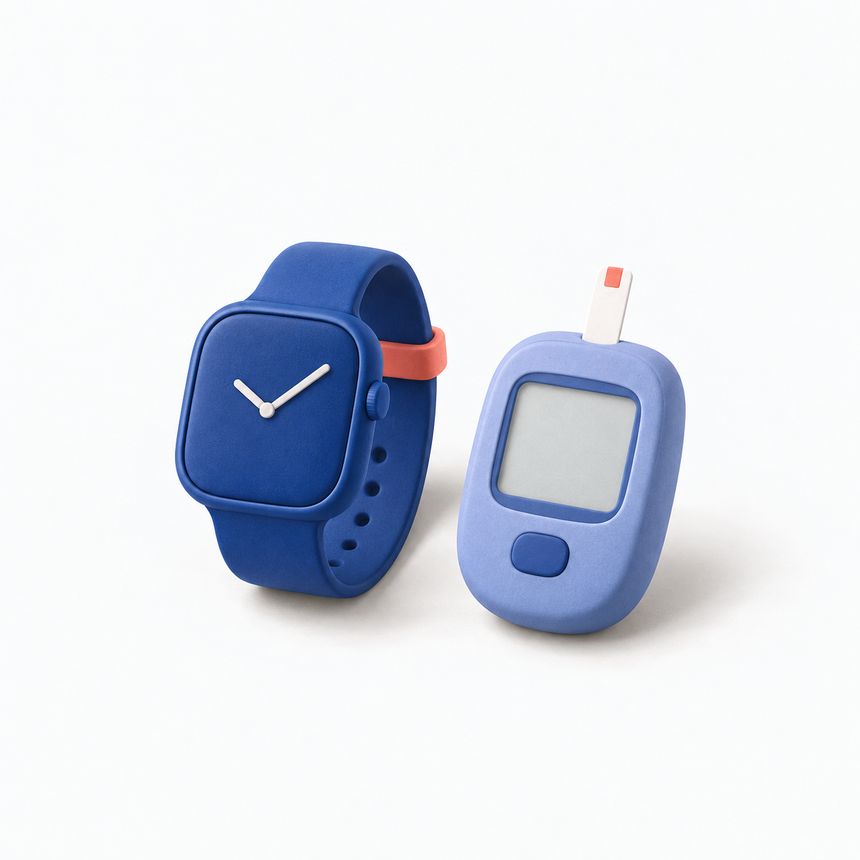
An Apple Watch can show a glucose reading without measuring glucose itself. The number may come from a separate sensor, a connected data source or an entry you typed. Those are different functions. Before trusting an advertisement, ask where the measurement actually comes from.
We checked the sources below on September 12, 2026. Apple’s published Apple Watch Series 12 specifications list its health sensors and do not list a glucose sensor. Installing an app does not add a physical glucose sensor to the watch.
A number on the screen is not proof of measurement
A watch face can display information supplied by another device. A diary can show a value you entered after using a meter. A demonstration can also show sample data. None of these, by themselves, proves that the watch measured anything.
Read the verbs carefully. “Track,” “log,” “view” and “sync” can describe legitimate software features. “Measure glucose from your wrist without another device” is a much stronger claim. Look for an explanation of the measuring hardware, its intended use and the supporting evidence, rather than relying on an animation or a realistic-looking chart.
If the origin of the number is not explained, the demonstration has left the main question unanswered.
What the FDA warning actually covers
In its safety communication issued February 21, 2024, the FDA warns about watches and rings claiming to measure glucose on their own. The notice distinguishes them from watch apps that display data from a separate authorized measuring device. At our review date, it states that no watch or ring has been authorized by the FDA to measure or estimate glucose independently.
Check current manufacturer documentation and the relevant regulator when assessing a new device, since hardware and authorizations can change. An app’s presence in a store does not answer the question of what hardware measures glucose.
How a real CGM-to-watch connection differs
Dexcom’s G7 Direct to Watch documentation describes readings sent from a separate G7 sensor to a compatible Apple Watch over Bluetooth. The sensor is still doing the measuring. A compatible phone is needed for initial pairing, and availability and compatibility requirements apply.
“Direct to Watch” therefore does not mean “measured by the watch.” It describes the communication path. Check the exact sensor, watch, app and country requirements in the manufacturer’s current documentation; a feature available in one setup is not a promise for every watch or region.
That connection requires the devices and software Dexcom supports. Glucose and Blood Sugar Track provides logging and display features on the watch.
What our Apple Watch app does
Glucose and Blood Sugar Track offers Apple Watch logging as a Premium companion feature. You can record supported entries on the watch, while widgets and complications display selected information. These are diary and display functions. The app does not measure glucose through the watch’s sensors.
Copy the reading and unit from your glucose meter, then check the value and measurement time before saving. In a widget, check when the data was last updated: the screen may still show an older reading.
Check the claim before paying
Find out which device actually measures glucose. Then look for a named model, a description of any separate sensor and the relevant documentation. Check whether the example is live data, a manually entered value or a demonstration. Read compatibility and regional limits before paying for a promised feature.
Be especially cautious when an explanation jumps from heart-rate or oxygen sensors to glucose claims without evidence for that specific measurement. Different health metrics require their own supported measurement methods.
Do not make treatment decisions from unsupported readings. For a reliable personal record, the report guide explains how to keep units, dates and sources visible. Useful watch software makes existing information easier to record or see. It should be clear about where that information originated.
Where the number on your watch comes from
A supported CGM system
- Separate CGM sensor measures
- Manufacturer’s compatible Watch app displays
The sensor supplies the reading. Follow that manufacturer’s device and country requirements; this is not a GlucoseTrack CGM connection.
Manual logging in GlucoseTrack
- Your glucose meter measures
- You enter the reading on Apple Watch
- The entry syncs to your paired iPhone
Premium Watch feature. The watch records the value you enter; delivery to iPhone can remain pending.
How to log a reading on Apple Watch →
Inside the Watch app
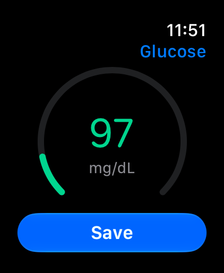
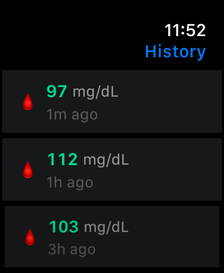
Screenshots from the app with fictional records and an English interface. These examples are not personal targets.
A personal tracking tool, not a medical device. The app does not measure blood sugar or provide medical advice. Review scanned values and food estimates before saving.
Download on the App Store
Where your glucose data goes: a privacy checklist
Understand local records, Apple Health access, optional meal scans and exported files before deciding what to share.
↗
Set up logging reminders that fit your day
Use reminders as practical prompts, check iPhone notification settings, and keep missing entries honest without chasing a perfect streak.
↗
Before you share a glucose report: a practical checklist
Choose the date range and format, review the exported file, and confirm the recipient before sharing your glucose report.
↗